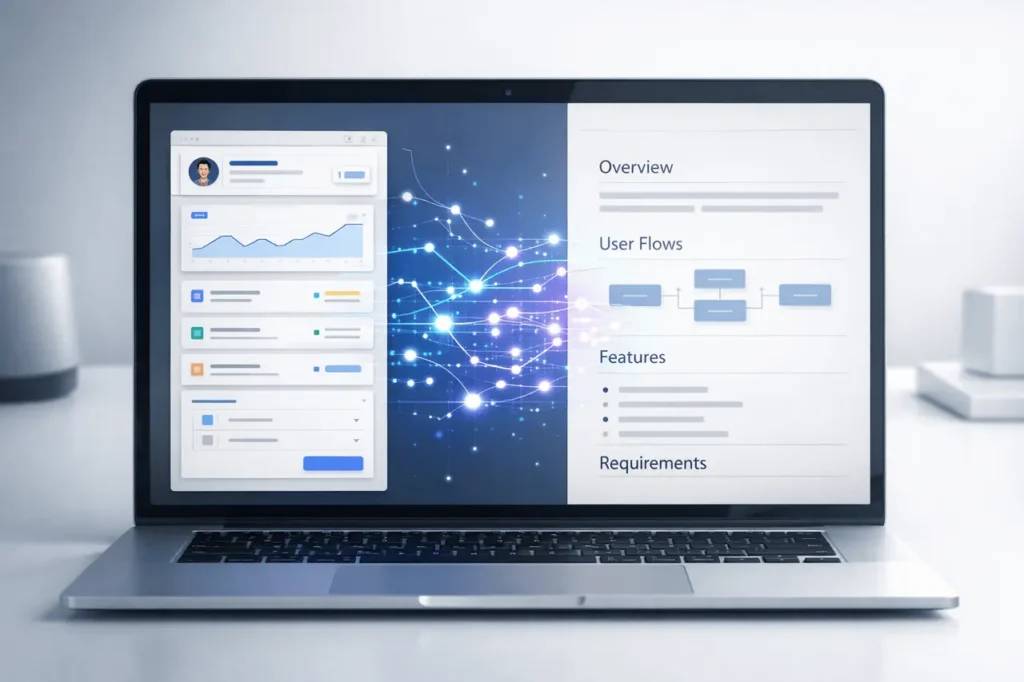
Google’s design and development tool, based on AI Stitch, is expanding beyond UI generation to include PRD (Product Requirements Document) creation, enabling teams to generate structured documents accompanied by prototypes. This breakthrough streamlines the process of ideation, designing, prototyping, and documentation, which are essential components of modern workflows for product development using AI-interpreted inputs.
This article explains Google Stitch PRD generation, the concept behind Stitch, what it is, how the latest PRD generation feature operates in real-world scenarios, its essential benefits and limitations, and how it integrates into the broader design landscape and AI automation.
What Is Google Stitch?
Google Stitch is an AI-powered design tool hosted in Google Labs that converts natural-language prompts or image inputs into UI design concepts and back-end code in minutes. The tool was launched during Google I/O 2025 and built upon Google’s sophisticated Gemini AI models. Stitch bridges the gap between ideas and execution for both web and application interfaces.
In contrast to traditional design tools, where each component must be created manually, Stitch uses multimodal AI to recognize the intent behind the design and automatically generate functional user interfaces and basic code.
How does Google Stitch work?
- Text-to-UI: describe an app or screen concept in plain language, and receive an AI-generated layout.
- Photo-to-UI: The process of uploading wireframes, sketches, or image drafts and having AI translate them into refined designs.
- The Prototype: Stitch has now added the ability to join screens generated by Stitch to create flow prototypes.
- Code Export: Translate designs into HTML/CSS code or export assets for refinement.
Introducing PRD Generation in Stitch
Google is currently working on a PRD generator feature to be integrated into Stitch that will automatically generate standard product documentation. This feature is designed to produce a Product Requirements document that describes the concept, prototype, and user flow in response to inputs provided to Stitch.
Why PRD Generation Matters?
A Product Requirements document is an essential document for managing products. It defines:
- Product objectives
- User requirements
- Feature specifications
- Success metrics
- design and delivery of development products
Traditional PRDs have been composed manually by teams or product managers, which takes a lot of time and coordination. Stitch’s automatic PRD generation attempts to transform design elements and prototyping logic into a structured document, reducing manual labour.
Key Features & Capabilities
Here is the description of Stitch’s primary features and the benefits that come with PRD generation:
Design & Prototyping Features
| Capability | Description |
|---|---|
| AI-Generated UI | Create interface designs from text or image input. (Codecademy) |
| Design Iterations | Quickly generate multiple layout variants. (Vibe Coding) |
| Prototyping Workflows | Connect UI screens into clickable prototypes. (Vibe Coding) |
| Code Export | Export HTML/CSS for developers. (Codecademy) |
| Figma Integration | Paste designs into Figma for refinement. (Codecademy) |
PRD & Documentation Features
| Document Feature | Benefit |
|---|---|
| Automated PRD Drafts | Generates structured requirements documents. (Threads) |
| Design + Prototype Linkage | Documents designs with corresponding prototypes. (Threads) |
| Team Alignment | Ensures product, design, and development teams have a unified reference. |
Real-World Applications
Google Stitch’s enhanced capabilities allow for various roles as well as workflows throughout the lifecycle of a product:
Product Managers & Designers
- Automate PRD drafts from design documents and reduce manual documentation time.
- Iterate on UI designs quickly, aligned with strategic requirements.
- Create prototypes and documentation using one workflow.
Developers & Engineering Teams
- Get designed outputs in a structured format, with context documents, to improve clarity.
- The export starter’s code reflects the documented design choices.
Startups & Agile Teams
- Enhance product discovery by letting you go from prototype to concept to requirements in a single application.
- Maintain the sameness in the outputs of design and the project’s documentation.
Benefits of AI-Driven PRD Generation
- Time-Saving: This software automates the time-consuming process of planning, writing and arranging PRDs.
- Design Documentation Coherence: Links to prototype screens to written specifications to minimize the chance of misalignment.
- Accelerated Iteration: Teams can modify documentation for features and design simultaneously.
- accessibility for Non-Technical Users: Lower the barrier to documenting and prototyping with no specialized skills.
Google Stitch PRD generation: Limitations & Considerations
While the PRD generation process is promising, there are some obstacles to overcome:
- A.I. Interpretation Accuracy: Preliminary PRDs could require human refinement to ensure accuracy and completeness.
- Privacy of Data and Integration: Stitch runs in the cloud, and therefore, sensitive designs and plans may require oversight.
- Dependence on Prompt Quality: TThe quality and reliability of the output produced depends on how well users communicate their needs.
How Stitch Compares to Traditional Tools?
| Aspect | Traditional Tools | Google Stitch |
|---|---|---|
| Design Creation | Manual, expert-driven | AI-generated from prompts |
| Prototyping | Manual linking & flows | AI-assisted screen flows |
| Documentation | Separate, manual PRDs | Integrated, AI-assisted PRD generation |
| Code Export | Manual translation | Automatic HTML/CSS export |
Best Practices for Using Stitch
- Write concise, detailed questions for the accuracy of UI Design and Content for PRD.
- Repeat the process often. Refine the design and documentation collaboratively.
- Utilize generated outputs for drafts toReview and refine using human knowledge.
My Final Thoughts
Google Stitch is redefining the design-to-documentation cycle by introducing PRD generation alongside AI-powered UI design, prototyping, and code export. This new approach is likely to streamline workflows, reduce manual effort, and improve collaboration across product design execution, strategy, and documentation. As AI continues to develop tools such as Stitch, it demonstrates the potential of integrated intelligent systems that can support complete product development from beginning to end, making ideas into structured, tangible artifacts more quickly than before.
Frequently Asked Questions
1. What exactly is PRD creation? What is it in Google Stitch?
PRD generation is a forthcoming feature that generates an organized Product Requirements Document using design inputs and the prototype structure.
2. Can Stitch replace traditional design tools like Figma?
Stitch improves designers’ workflows and enables Figma integration; however, it is currently a complement rather than a replacement for comprehensive design ecosystems.
3. Does PRD generation produce the final document?
AI-generated PRDs can serve as drafts, requiring human oversight and refinement to ensure completeness and accuracy.
4. What inputs do Stitch require to create an RD?
Prototype flows and user-specific descriptions help Stitch determine the context for PRD creation.
5. Is Google Stitch available for unrestricted use?
Stitch is currently available via Google Labs and may have usage limitations; visit the official website for details on access.
6. What can PRD generation help improve processes for managing products?
It reduces the time manual documentation takes and helps align design and technical teams, providing a single source of reference for product prototypes and features.
Also Read –