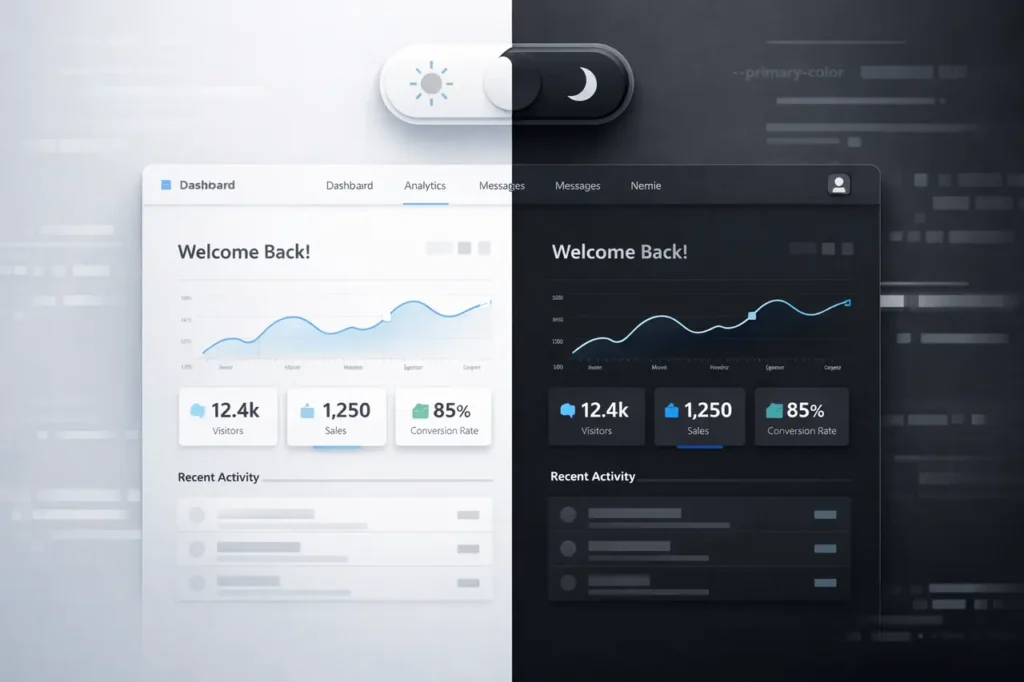
Modern websites are expected to support both dark and light modes as a baseline user experience feature. The Gemini 3 Flash color mode switch demonstrates how an AI model can streamline this process by refactoring styles, introducing CSS custom properties, and implementing persistent theme preferences with minimal manual effort.
In the first few interactions, Gemini 3 Flash can transform a traditionally styled website into one with a robust, accessible, and maintainable colour mode system. This approach matters because it reduces technical debt while improving usability and performance, two priorities that directly affect engagement and retention.
In this article, you will learn about the Gemini 3 Flash color mode switch, how it works, why it matters in modern web development, and how it enables clean, persistent light and dark theme implementation using AI-assisted styling and CSS best practices.
What Is a Colour Mode Switch?
A colour mode switch lets users toggle between visual themes, typically light and dark. Unlike static themes, a modern implementation remembers the user’s preference across sessions and devices.
Key characteristics include:
- A precise toggle control in the UI
- Consistent color behavior across components
- Persistent storage of the selected mode
- Minimal performance overhead
When implemented manually, these features often require refactoring large CSS files and JavaScript logic. Gemini 3 Flash accelerates this work through intelligent code transformation.
Why Gemini 3 Flash Matters for Theme Management?
Gemini 3 Flash is designed for fast, iterative reasoning over code and UI logic. In the context of theming, it can:
- Replace hard-coded hex colour values with semantic variables
- Remove scattered inline styles that block theme inheritance
- Introduce a scalable design token system
- Add logic for remembering user preferences
This matters because theme switching is not just cosmetic. It affects accessibility, battery usage on OLED devices, and perceived site quality.
How does the Gemini 3 Flash Colour Mode Switch work?
Refactoring Colours into CSS Custom Properties
The first step is to identify repeated colour values. Gemini 3 Flash replaces these with CSS custom properties defined at the root level.
Instead of embedding colours directly in styles, the site uses semantic tokens for background, text, and accent colours. This abstraction makes switching themes a matter of redefining variables rather than rewriting rules.
Eliminating Inline Styles
Inline styles override global theming logic, making maintenance harder. Gemini 3 Flash removes inline colour definitions and migrates them into reusable classes or variables.
The result is:
- Cleaner markup
- Predictable theme inheritance
- Easier future updates
Implementing Persistent Light and Dark Modes
A key advantage of the Gemini 3 Flash colour mode switch is persistence. The selected mode is stored locally so that returning users see their preferred theme immediately.
This persistence typically involves:
- Detecting system preferences on first visit
- Saving user selection locally
- Applying the theme early to avoid flashes of incorrect colour
Integrating the Toggle UI
Gemini 3 Flash can also help scaffold the toggle logic by:
- Wiring a button or switch to a theme state
- Updating CSS variables dynamically
- Ensuring accessibility attributes are present
Feature Comparison: Traditional vs Gemini 3 Flash Approach
| Aspect | Traditional Implementation | Gemini 3 Flash–Assisted |
|---|---|---|
| Color management | Hard-coded values | Semantic CSS variables |
| Inline styles | Common | Removed |
| Theme persistence | Manual setup | Automated logic |
| Refactoring speed | Time-consuming | Rapid, prompt-driven |
| Maintainability | Medium to low | High |
This comparison highlights how AI-assisted theming reduces repetitive work while improving long-term structure.
Benefits of Using Gemini 3 Flash for Colour Mode Switching
Faster Development Cycles
Instead of manually auditing styles, developers can rely on Gemini 3 Flash to identify inconsistencies and propose a unified system.
Improved Accessibility
Consistent contrast and semantic colour roles make it easier to meet accessibility guidelines across both themes.
Scalable Design Systems
Once colours are abstracted into variables, adding new themes or brand updates becomes straightforward.
Cleaner Codebase
Removing inline styles and duplicated values reduces complexity and improves readability.
Limitations and Challenges
Despite its strengths, the Gemini 3 Flash colour mode switch approach has constraints:
- Existing design systems may still need manual review
- Visual edge cases can require human validation
- AI-assisted refactoring depends on clear prompts and context
For highly customised UI components, developers should verify results carefully before deploying to production.
Practical Considerations for Teams
When adopting Gemini 3 Flash for theming work, consider the following:
- Audit your current CSS structure first
- Define semantic colour roles clearly
- Test both modes across devices and browsers
- Ensure early theme application to avoid visual flashes
This approach works best when integrated into a broader design system strategy.
Use Cases by Industry
| Industry | Color Mode Use Case | Value Delivered |
|---|---|---|
| SaaS platforms | Dashboard theming | Reduced eye strain |
| Media sites | Reader preferences | Longer session time |
| Developer tools | Code-heavy UIs | Improved focus |
| E-commerce | Brand consistency | Higher trust |
These examples show why persistent theme switching is now a standard expectation.
My Final Thoughts
The Gemini 3 Flash colour mode switch illustrates how AI can meaningfully improve front-end workflows. By replacing hard-coded colours, removing inline styles, and implementing persistent theming logic, it delivers a cleaner, more scalable solution to a common UX requirement.
As websites continue to prioritise personalisation and accessibility, AI-assisted theming will become increasingly relevant. Gemini 3 Flash shows a forward-looking path where design consistency and development speed can improve together without sacrificing control or quality.
FAQs
1. What is the Gemini 3 Flash colour mode switch?
It is an AI-assisted approach to implementing light and dark themes by refactoring styles, using CSS variables, and adding persistent user preferences.
2. Does Gemini 3 Flash replace the need for front-end developers?
No. It accelerates refactoring and setup, but developers still validate design, accessibility, and edge cases.
3. How does theme persistence work?
User preferences are stored locally and applied on subsequent visits, ensuring a consistent experience.
4. Is this approach suitable for large websites?
Yes, especially for sites with fragmented styles, as it centralises colour logic into reusable variables.
5. Can this method support more than two themes?
Yes. Once variables are in place, adding additional themes involves defining new variable sets.
Also Read –