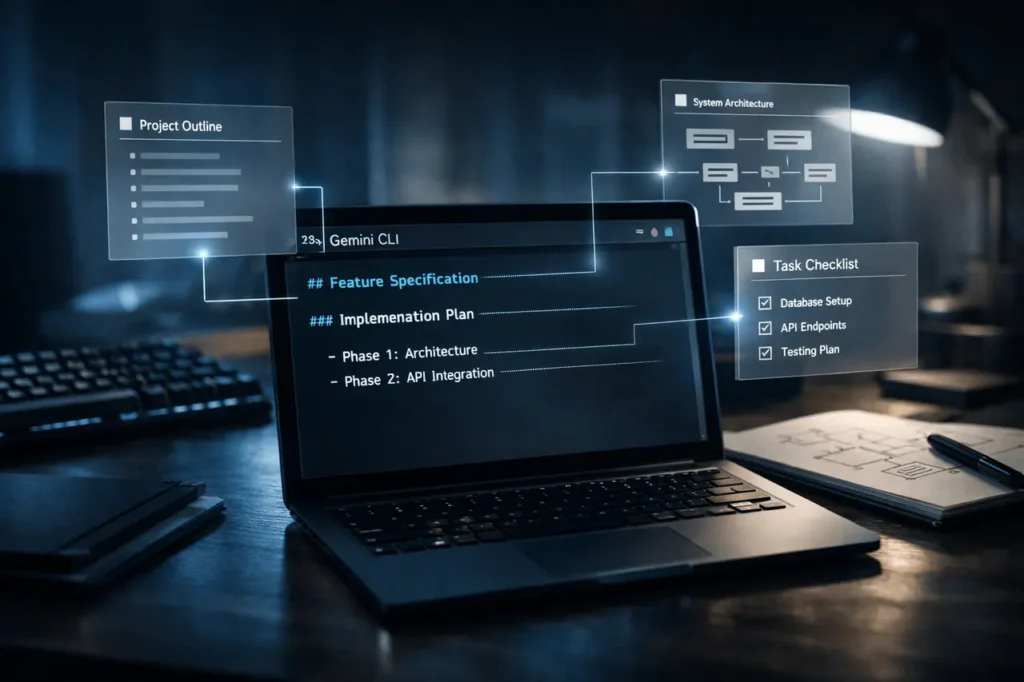
A brand-new extension, dubbed Conductor, that works with Gemini is being promoted as a productivity tool for developers who rely on terminal-based workflows. It was announced via the official Gemini CLI account on X. The Conductor Extension promises to integrate “context-driven development” into the terminal, allowing developers to create detailed specifications and plans to live alongside their code as permanent Markdown files.
Although the announcement was brief, the implications for developers’ tools, particularly for those working in the command-line environment, are likely to be significant.
The article will look at how you can use the Conductor Extension for Gemini CLI and how it integrates the power of context-driven development and organised Markdown design directly in the terminal.
What Happened?
Gemini CLI team shared an update introducing Conductor, the Conductor Extension for Gemini CLI, describing it as a way to incorporate context-aware planning into the terminal workflow. As per the article, Conductor is designed to aid developers:
- Break down complicated tasks
- Generate formal specifications
- Create structured plans
- Keep these objects in Markdown files within the project repository
Contrary to temporary AI prompts or single-time code-generation sessions, Conductor focuses on outputs that are structured, integrated into the development cycle, and stored in the source code, rather than disappearing when a session ends.
As of the time of writing, there is no comprehensive technical documentation or blog post covering the announcement officially released by Google. The announcement was made public via Gemini CLI’s official X account, and more details about the implementation could be revealed in the next few days.
Gemini CLI and Developer Workflows
Google’s Gemini model has been steadily expanding beyond chat interfaces and has expanded into tools for developers. The Gemini model family is the foundation of Google’s overall AI strategy, which includes integration into development environments and command line interfaces.
Gemini CLI is part of the effort. It lets developers connect to Gemini models directly via the terminal, a system vital to software engineers’ workflows. Developers can use CLI tools to:
- Code generation
- Refactoring
- Script automation
- Project scaffolding
- Repository management
The Conductor could signal a shift to a more proactive AI aid (e.g., “generate this function”) to organise planning and orchestrate development.
In traditional AI-assisted design, the outputs are not constant. A developer asks the model for the code and can manually incorporate it. The Conductor can formalise the process by producing Markdown documents that serve as documentation and can be used alongside code.
What Is “Context-Driven Development”?
The expression “context-driven development“, according to the announcement, could refer to workflows in which:
- Tasks are broken down into organised plans.
- Specifications have been written and are managed using version control.
- AI assistance is part of the project context rather than individual prompts.
Instead of having an AI “build feature X,” a developer might make use of Conductor for:
- Generate a formal feature specification.
- Outline implementation phases.
- Define acceptance conditions.
- Create a roadmap in Markdown.
- Save everything within the Repository.
The shift that you choose is important. Persistent Markdown files may include:
- Version-controlled in Git.
- Reviewed in Pull Requests.
- shared between teams.
- Changed when the technology improved.
In another sense, Conductor can be a planning partner rather than a code assistant.
Why This Matters?
1. Bridging the Gap Between AI and Engineering Discipline
One of the main complaints about AI-assisted coding tools is that they facilitate ad hoc development, leading to rapid outputs without a structured plan. Conductor’s focus on “formal specifications and plans” is a way to counterbalance.
If it is widely accepted, it may inspire organisations to
- Treat AI outputs as documented artefacts.
- Keep traceability between the intent and the implementation.
- Eliminate ambiguity in co-operative projects.
2. Terminal-First Developers
Some developers work in a graphic IDE. Many depend on terminal-based workflows, specifically when it comes to:
- Backend development
- Engineering and Infrastructure DevOps
- Open-source projects
- Remote server environments
The introduction of an organised AI orchestration into the terminal minimises friction for users.
3. Persistent Knowledge Over Ephemeral Prompts
The majority of AI coders work with conversational memory. When a session has ended, the context disappears. In contrast, Markdown-based specifications saved in repositories are used to provide institutional memories.
It could be particularly helpful for:
- Teams distributed
- Long-lived projects
- Onboarding new developers
- Audit trails
Industry Comparison
The wider AI technology is developing quickly.
OpenAI provides CLI integrations and API-based tools which developers integrate into workflows. Anthropic has designed its models to support well-structured reasoning and tasks that require long context. In addition, GitHub Copilot, developed by GitHub and powered by OpenAI models, focuses on code completion in-line and conversational IDE assistance.
Conductor’s distinction may be due to:
- Terminal-native operation
- Permanent Markdown outputs
- Structured planning emphasis
RatherRather than directly competing on autocomplete speed for code, the technology could be targeted at project-level orchestration.
Technical Implications
Although the complete documentation is not yet publicly released, several important technical details are worthy of looking at:
Markdown as a First-Class Artefact
Markdown is widely used in software projects to create README documents, design documents, RFCs, and technical specifications. If Conductor can automate the creation of specs using Markdown:
- It seamlessly integrates with Git workflows.
- It supports documentation-driven development.
- It aligns with DevOps practices of transparency.
Version Control Integration
If plans created by Conductor are stored in repositories, teams can keep track of changes over time – something that ephemeral AI chats cannot provide.
Model Context Awareness
For Conductor to work effectively, it must understand the repository’s structure, its documentation, and the code architecture. That raises questions about:
- How it accesses the local project context
- If it indexes repositories
- How it handles huge codebases
Additional technical documentation will explain the mechanisms.
Is This a Major Release?
At the moment, it appears that Conductor’s extension is the launch of a feature within the evolving developer ecosystem, rather than a separate platform announcement.
It’s not the creation of a new foundation model or an enterprise product at the enterprise level. However, its impact could be significant for a specific audience, terminal-first developers seeking structured AI collaboration.
Given the weight in the industry, it is a significant workflow update, not a market-changing event.
Who Is Affected?
- Individual developers using Gemini CLI
- Open-source maintainers
- DevOps engineers
- Technical leads in charge of specifications
- Teams adopting AI-assisted development workflows
Organisations which place a high value on documenting and tracking their plans could benefit from this strategy.
What Happens Next?
Several questions remain:
- Will Google provide formal documents or a technical dive?
- Can the Conductor integrate with issue trackers, such as GitHub Project boards or Issues?
- Do enterprise features follow?
- What is its approach to the repository’s security and privacy?
With Google’s larger AI ambitions, a further development of Gemini CLI tools is likely.
If Conductor is successful, it will influence how AI assistants transition from being reactive assistants to structured conductors for development.
My Final Thoughts
Conductor Extension to Gemini CLI is a subtle, but significant change in the development process using AI. Instead of focusing on code creation, it emphasises the need for structured planning and permanent documentation within terminal workflows.
For developers interested in strict engineering practices alongside AI speed, this strategy could be a viable collaboration model.
Whether it is an exclusive utility or an incredibly popular workflow tool will depend on the execution documentation and developer reaction in the coming weeks.
Also Read –