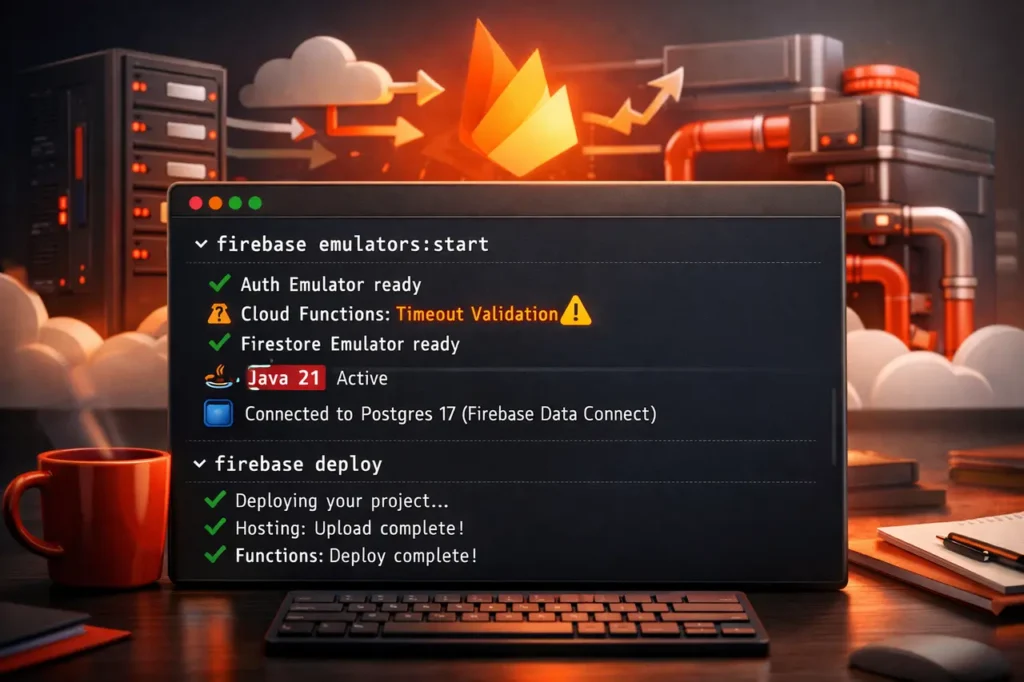
Firebase CLI v15 introduces essential changes that affect local development, Cloud Functions deployments, and default database settings. It is released with the latest capabilities and breaking modifications; this version demands immediate attention from developers who maintain Firebase-based workflows. Firebase CLI v15 emphasizes stricter validation, more modern runtime requirements, and better integration with the production infrastructure.
This guide will explain what the Firebase CLI v15 is, why it is essential, what’s changed, and how to upgrade without risk.
What is Firebase CLI v15?
Firebase CLI v15 is the most recent major version of the command-line interface for controlling projects with Firebase. The CLI is vital to:
- Deploying Cloud Functions, Hosting, and Extensions
- Local emulators running
- managing configurations and environments
- Work with Firebase Data Connect
Version 15 includes breaking changes that affect the emulator’s runtimes, Cloud Functions behavior, and database defaults.
Why Firebase CLI v15 Matters?
This update is significant as it enforces more stringent standards throughout the development and deployment pipelines. These improvements reduce runtime inconsistencies, catch configuration errors earlier, and ensure that Firebase tools align with the latest Java and database platforms.
For teams upgrading from previous versions, Firebase CLI v15 requires validation of local settings and CI/CD environments before deployment.
Key Changes Introduced in Firebase CLI v15
Java 21+ Required for Firebase Emulators
Firebase CLI v15 requires Java 21 or later to run Firebase emulators.
It will be a significant change.
- older Java versions (Java 17 and lower) are not supported anymore
- applies to all local emulators
- Local development testing, CI, and pipelines
Why it matters:
Firebase emulators leverage the latest JVM capabilities to provide security and performance. Java 21 is a long-term support (LTS) release and maintains compatibility with subsequent emulator updates.
Strict Timeout Validation for Cloud Functions
Firebase CLI v15 adds rigorous timeout verification when you deploy Cloud Functions.
- Incorrect or out-of-range values are now causing problems with deployment
- Errors are surfaced earlier during deployment
- applies equally to HTTP and functions that are triggered by background
Practical impact:
Previous misconfigurations that were accepted could pose a risk of unsuccessful implementation. Teams must confirm that all timeout settings are within the supported limits before setup.
Data Connect Defaults to Postgres 17
Firebase Data Connect now defaults to PostgreSQL 17 to support new configurations.
- Older versions of Postgres no longer serve as the standard
- applies to all the newest Data Connect projects
- Enhances security, performance, and long-term stability
This update aligns with Firebase Data Connect and the most current, reliable PostgreSQL ecosystem.
Firebase CLI v15 Breaking Changes Overview
| Area Affected | Previous Behavior | Firebase CLI v15 Behavior |
|---|---|---|
| Emulator Runtime | Java 17 supported | Java 21+ required |
| Cloud Functions | Lenient timeout checks | Strict timeout validation |
| Data Connect DB | Older Postgres defaults | Postgres 17 default |
How Firebase CLI v15 Works in Practice?
Firebase CLI v15 enforces validation earlier in the workflow.
- Local emulator checks the Java version before launch
- Cloud Functions deployment validates timeouts before upload
- Data Connect initializes databases using Postgres 17 defaults
These improvements minimize runtime issues by shifting failures away from the setup and deployment phases.
Setup and Upgrade Guide for Firebase CLI v15
Step 1: Update Firebase CLI
Utilize npm to update global:
- Make sure Node.js is up-to-date
- Install the most recent Firebase CLI Version
Official instructions for setting up and updating are available at: https://firebase.google.com/docs/cli#setup_update_cli
Step 2: Upgrade Java for Emulators
Before the emulator can be run:
- Download Java 21 or later
- Update the JAVA_HOME environment variable
- Verify using java –version
This is a requirement to use the local emulator.
Step 3: Review Cloud Functions Configuration
Check all Cloud Functions to:
- Valid timeout values
- Compliant with Firebase-supported limits
This will prevent deployments that fail due to stringent validation.
Step 4: Validate Data Connect Usage
For new Data Connect projects:
- Verify compatibility with Postgres 17
- Make changes to schemas and tooling, if necessary
Existing projects must verify the compatibility of their database versions before migration.
Benefits of Firebase CLI v15
- Improved deployment reliability
- Earlier error detection
- Alignment with the latest Java as well as PostgreSQL standards
- Better long-term support guarantees
These enhancements are beneficial to teams that run high-end production Firebase apps.
Limitations and Challenges
- It requires an upgrade to Java 21, which could affect legacy systems.
- Strict validation may break previously working deployments
- CI/CD pipelines may need updates
Teams should plan their upgrades carefully to prevent disruption.
Practical Considerations for Teams
- Audit development machines for Java compatibility
- Update Docker images and CI runners
- Test deployments in staging before production rollout
- Document new requirements for onboarding developers
These steps reduce friction during migration.
Firebase CLI v15 vs Earlier Versions
| Aspect | Pre-v15 CLI | Firebase CLI v15 |
|---|---|---|
| Emulator Java Support | Java 17+ | Java 21+ only |
| Deployment Validation | Lenient | Strict |
| Database Defaults | Older Postgres | Postgres 17 |
My Final Thoughts
Firebase CLI v15 represents a shift towards more rigorous validation, modern runtimes, and a future-proof infrastructure. In addition to the Java 21 requirements, Cloud Functions timeouts are enforced, and Postgres 17 defaults are used for Data Connect. This version focuses on the system’s reliability and long-term stability.
Teams upgrading to the Firebase CLI version 15 should carefully review the local environment, deployment configurations, and CI pipelines. These changes will position Firebase tools for future production-grade, scalable development.
FAQs About Firebase CLI v15
1. What exactly is Firebase CLI v15 used for?
Firebase CLI Version 15 can be used to manage, deploy, and emulate Firebase services via the command line, with stricter verification and the latest runtime requirements.
2. Does Firebase CLI v15 require Java 21?
Yes. Java 21 or later is required to run the Firebase emulators with the Firebase CLI v15 or later.
3. What is the reason my Cloud Functions deployments are failing after updating?
Firebase CLI v15 enforces strict timeout validation. Incorrect timeout values are now causing deployment issues.
4. What is the database that Firebase Data Connect uses by default in version 15?
Firebase Data Connect defaults to PostgreSQL 17 for new projects created with the Firebase CLI v15.
5. Can I use an older version of the Firebase CLI?
Older versions might continue to function for a short time; however, upgrading is recommended to ensure security and compatibility.
Also Read-