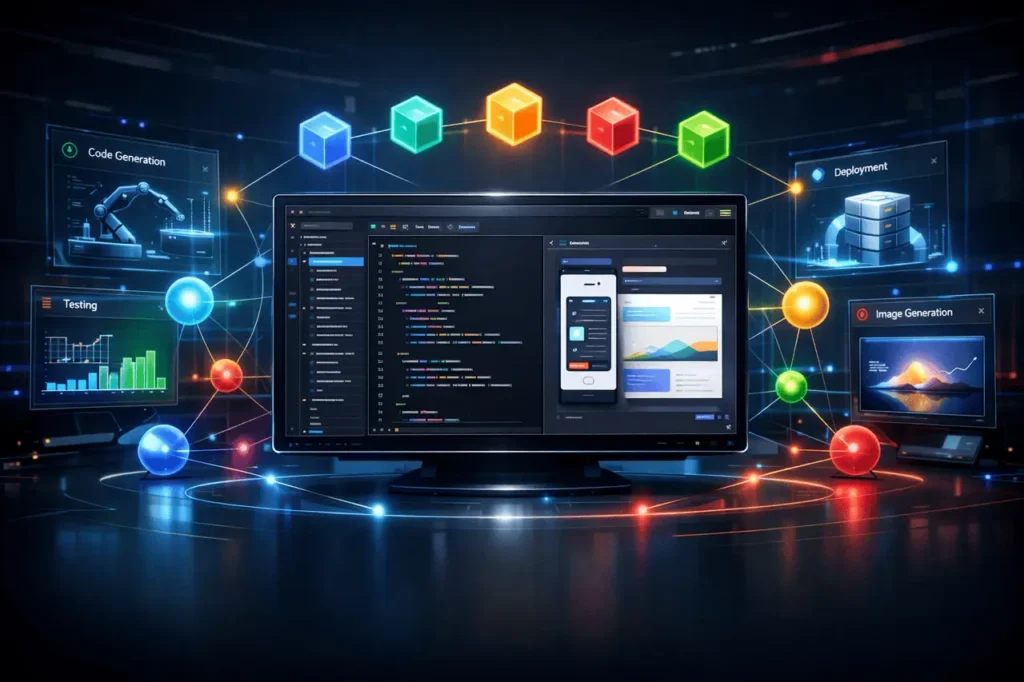
In the second half of the year 2025, Google launched Antigravity, an AI-first, transformative integrated development platform (IDE) that changes the way developers develop software. Instead of traditional code-completion tools, Antigravity enables autonomous AI agents to write, plan tests, run tests, and verify tasks, allowing developers to focus on oversight, architecture, and design at a high level. This article explains Google Antigravity IDE, and the factors that make Antigravity distinct, how it operates, and why it’s generating excitement among developers.
What Is Antigravity?
Antigravity is an agent-driven IDE created by Google that combines traditional coding workflows and advanced AI automation, functioning like an operational control center for software development. It allows you to make intelligent agents that can perform multiple-step engineering tasks in a single step using the terminal, editor, and browser.
Contrary to conventional AI assistants, which offer assistance within sidebars, Antigravity treats AI agents as autonomous collaborators capable of preparing, coding, testing, and confirming software modifications with minimal direct input.
Mission Control: Agent Manager and Editor Views
Antigravity has two primary interfaces that allow developers to reframe their workflows:
Editor View
The editor view is a familiar IDE-like experience with standard terminals, file explorers, and editing panes. Developers can write code manually, check files, and perform real-time editing.
Agent Manager (Mission Control)
This is the place where Antigravity’s promise is realized. It serves as a central console for managing, supervising, and coordinating multiple AI agents that operate behind the scenes. Each agent is responsible for a specific task, including generating new enhancements, fixing problems, or running tests, and its status is updated asynchronously, allowing developers to delegate repetitive or labor-intensive tasks.
Agents generate Artifacts and well-organized outputs, such as Implementation plans, screenshots, or test results, helping developers verify what happened without having to read logs.
Running AI Agents in the Background
One of Antigravity’s most significant innovations is its ability to run autonomous AI agents in the background. Instead of waiting for a synchronous response from the prompt, you can assign tasks to agents and let them perform their work while you carry out other work. This is fundamentally changing the model of interaction, shifting from prompt responses to delegating mission tasks with regular supervision.
For instance, an application developer can direct an agent to create an API endpoint, run unit tests, generate documentation without manual intervention, and examine the results at any time.
Flexible Model Switching
Antigravity lets you switch between a variety of AI models, and does not lock the user to one model or design. While it is natively compatible with Google’s Gemini 3 Pro and optimized for workflows that use agent developers, it can select other models, such as OpenAI’s GPT-OSS and anthropic’s Claude Sonnet, depending on requirements, performance, and budgetary considerations.
This model’s flexibility is essential for real-world projects, as tasks are diverse and require different abilities. Developers may choose a compelling but resource-intensive model to handle complex code generation. Or a simpler model to create simple code templates.
Use of Free APIs and Tool Integrations
Antigravity integrates with free APIs and other services to enhance its capabilities. Using standard integration channels, AI agents can communicate with APIs, third-party developer tools, and other services. This means that tasks such as retrieving information from a public API, changing the status of a Jira ticket, or triggering a GitHub workflow can be controlled by agents with minimal configuration.
Additionally, open standards like the Model Context Protocol (MCP) enable Antigravity to leverage external tools and data sources effectively, allowing the agents to access information from APIs, databases, and developer environments without the need for manual quick engineering.
Native Image Generation
Beyond the code, Antigravity supports native image generation and editing capabilities using integrated AI models, such as Nano Banana Pro, and Gemini’s multimodal engines. These capabilities enable developers to create icons, mockups, diagrams, and visual assets directly in the IDE.
Multimodal support helps reduce the need for context switching, which typically happens between development and design tools. For example, a designer may ask an agent to sketch a UI prototype or modify visual assets on the spot, streamlining design-to-code workflows.
Deploy via MCP Servers
A combination of Antigravity and MCP servers allows for large-scale deployment and makes it more feasible. MCP, also known as the Model Context Protocol, standardizes how context, tools, and data sources are linked to AI agents. It allows developers to present their application’s APIs, tools, and data to AI agents via a uniform interface.
By installing MCP servers in Antigravity, AI agents can safely connect internally to systems, automate intricate processes, and interact with tools used by corporate organizations, such as project trackers, databases, backends, and cloud-based services, without compromising security or context.
Practical Benefits for Developers
Antigravity’s features are combined to offer several real-world benefits:
- More Efficiency: With background agents taking care of routine tasks, programmers can concentrate on building and problem-solving.
- Higher Automation: The long-running workflows are automated from end to end, from writing tests to the deployment of artifacts.
- Reduced the Need for Context Switching: Agents are integrated with the terminal, IDE, and browser, removing the need to switch between different tools.
- Modularity: Choosing the appropriate model for the task improves efficiency and cost control.
- Image and Multimodal Support: Support for multimodal photos and ipictures. Visual asset generation in the IDE can be time-saving and helps maintain the design’s uniformity.
Considerations and Limitations
Antigravity is currently available for public preview and, while it has impressive capabilities, it’s free of drawbacks. Users have reported slow performance when working on complex projects, adverse rates of usage limits, and rough edges in the early stages of modern software.
Security remains a significant concern; experts have warned that autonomous agents could unintentionally perform actions or access sensitive data if security measures aren’t correctly configured. A careful approach to security and constant supervision are required when implementing automated workflows.
My Final Thoughts
Antigravity isn’t merely another AI coder. It’s a new way of thinking about how development tasks are accomplished in the modern age. By using in-the-middle AI agents, programmers can assign time-consuming tasks without interruption to their focus. The ability to switch between models avoids lock-in and lets teams improve performance or reduce costs when needed. Multimodal and native image creation reduces friction between design and code, while MCP servers provide a standardized, secure way to expand and deploy agents’ capabilities across real systems.
But Antigravity is still early in its development, like all agent-based platforms, which require careful monitoring, explicit permissions, and proper configuration to avoid accidental actions. When used correctly, it can provide a glimpse of what’s to come for IDEs and editors, not just as editors by themselves, but instead as smart control centers in which humans determine the direction, while AI can execute quickly and precisely. If you’re a developer looking to increase the power of your software, rather than write code more quickly, Antigravity points the way to the future.
Frequently Asked Questions
1. What is it that makes Antigravity different from other AI Coding tools?
Antigravity is an agent-first system, meaning it views AI agents as independent collaborators who plan and execute entire tasks beyond simple autocomplete. It incorporates model switching, background agents, and mission control to support development workflows.
2. Can I switch between different AI models in Antigravity?
Yes. Antigravity provides several backend models that let users choose based on their task requirements, performance, and financial considerations.
3. What exactly are MCP servers, and what are their benefits?
MCP (Model Context Protocol) servers provide a standardized way for AI agents to connect to tool APIs and context-related data securely, enabling automation across a variety of integrated systems.
4. Does Antigravity allow image generation?
Yes. Antigravity uses multimodal models to create and edit images directly within the IDE, enhancing workflows with visual assets.
5. Is Antigravity accessible for use at no cost?
During its public preview, Antigravity is available for free with no usage restrictions. Prices for future versions may vary based on usage and enterprise licensing.
6. Are there security issues in using Antigravity?
Experts have highlighted potential security threats if autonomous agents have extensive system access without supervision. It’s crucial to establish security measures and monitor agents’ actions.
Also Read –