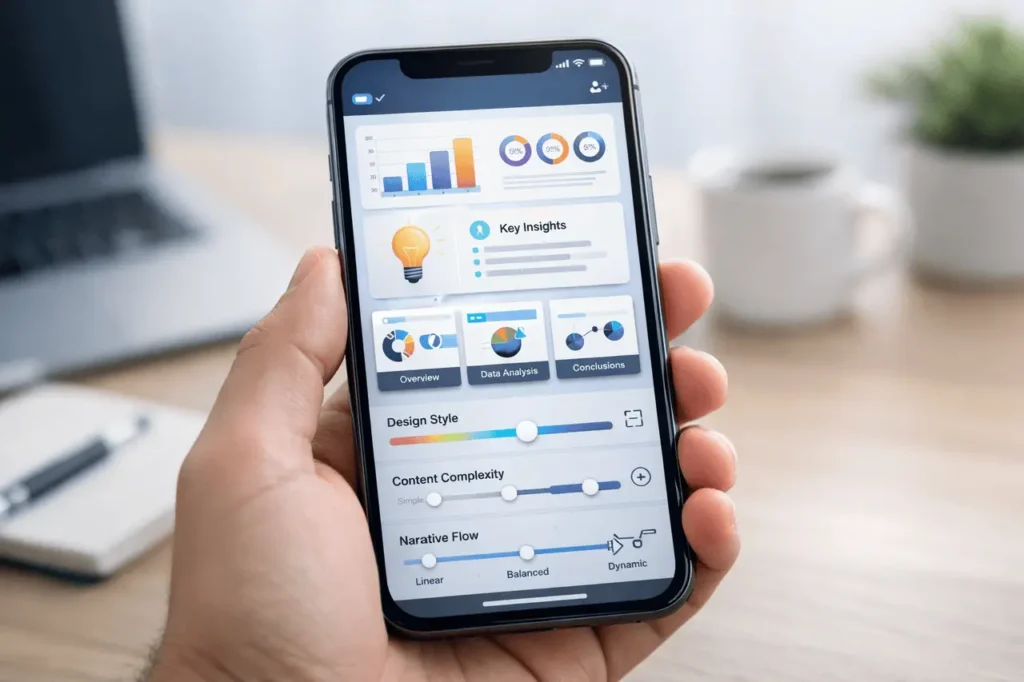
The NotebookLM mobile app’s update to customise the app represents a significant step toward those who produce visual content on the go. By allowing users to personalise slide decks and infographics on a mobile device, the app brings AI-assisted content creation closer to real-world workflows where speed, quality, clarity, and flexibility are important.
In the initial moments of usage, the customisation options let you know that visual outputs don’t have to be predefined templates. Instead, they can be designed to suit various audiences, tones and levels of complexity, without changing tools or platforms.
This article explains the NotebookLM mobile app customisation, including its capabilities, what it can do, why it’s important, how it works, and how it can be integrated into modern knowledge and content workflows.
What is NotebookLM Mobile App Customisation?
NotebookLM Mobile App Customisation is the capability to change how AI-generated infographics or slide decks appear and can be read directly from the mobile app.
Instead of one, standard output can modify the key elements, like:
- Visual design style
- Content complexity
- Tone and Narrative
These controls permit the same material source to be converted into various presentation formats, based on the audience and context.
Why is this feature important?
Mobile devices are increasingly being utilised for educational and professional tasks. However, the creation of visual content has been traditionally limited to smaller screens.
This is important since it:
- Reduces the need for tools for design that are only available on desktops
- Accelerates editing and revising last-minute changes
- Enhances communication with specific visuals
for educators, teams and individual creators. Customisation bridges the gap between AI-generated insights and ready-to-present material.
How can you customise in the Real World?
Customisation occurs after content is created, not before. The user creates the infographic or slideshow from the notes or documents they have. Then, they refine the final product using the adjustable parameters.
Key Customisation Dimensions
Design Style
Users can alter the look and feel of outputs to match the situation, such as: better
- Simple and professional layouts
- More illustrative or narrative-driven designs
- Clear structure for data-heavy materials
Content Complexity
This control changes how detailed or simple the information appears.
- Simpler HTML is great for summaries and overviews.
- Higher complexity helps academic or technical audiences.
Narrative Structure
A narrative setup determines how information flows.
- Linear, presentation-style sequencing
- Story-like sequence for explaining content
- Concise, bullet-driven formats for quick consumption
Core Capabilities in a Snapshot
| Customization Area | What It Controls | Practical Impact |
|---|---|---|
| Visual design | Layout and visual emphasis | Aligns slides with audience expectations |
| Complexity level | Depth of explanation | Prevents overloading or oversimplifying |
| Narrative style | Information flow | Improves clarity and engagement |
| Mobile editing | On-device adjustments | Enables quick updates anywhere |
This transforms the mobile app into more than just a viewing tool. It transforms into an easy-to-design and communicate tool.
Real-World Use Cases
Customisation is most beneficial when the same data serves multiple purposes.
Professional and Business Use
- Executive summaries that have minimal details
- Internal briefings that are structured with slides
- Illustrations to explain to all stakeholders
Education and Learning
- Simple infographics designed for students in the early stages of learning
- Slide decks with detailed information for topics that are more advanced
- Narrative-style visuals for concept explanation
Personal Knowledge Management
- Making notes and visual summaries
- Making reference slides for themes that are frequently discussed
- adapting content for the presentation of or to share with others
Benefits of Customizable Infographics, Slides, and Infographics
The significance of this technology goes far beyond the aesthetics.
Key Advantages
- Flexibility: One source, multiple outputs
- Efficiency: Faster than manual redesign
- Conformity: Keeps the alignment with the original material
- Accessibility: Mobile-first editing lowers friction
For those managing huge volumes of notes, these benefits can translate into significant time savings.
Limitations and Challenges Practically
Although powerful, it isn’t free of limitations.
Current Considerations
- Screen size may limit precision adjustments
- Controls for deep visual branding might be limited
- Complex design needs may still require desktop tools
Knowing these limits can help users decide whether mobile customisation is enough and when more advanced tools are required.
Customisation vs. Traditional Presentation Tools
| Aspect | Traditional Tools | NotebookLM Mobile Customization |
|---|---|---|
| Setup time | Manual, time-intensive | Automated, rapid |
| Source integration | Separate import steps | Directly from notes |
| Mobile usability | Often limited | Designed for mobile |
| Iteration speed | Slower | Near-instant |
This comparison illustrates why mobile-first customisation is particularly helpful in quick-turnaround situations.
NotebookLM mobile app customisation: Practical Tips to Improve Results
To benefit the most from the NotebookLM Mobile App, you can customise the mobile application:
- Begin with structured source notes that are well-structured
- Adjust complexity before refining the design
- Create a narrative that matches the expectations of the viewer
- Review outputs to ensure clarity on screens with small sizes
These steps will ensure that visuals convey effectively, not just visually.
My Final Thoughts
NotebookLM mobile app customisation offers significant adaptability for AI-generated infographics and slide decks. By letting users manage the design, complexity, and narrative flow right on mobile devices, it helps bridge the gap between raw information and ready-for-presentation visuals.
As mobile workflows expand, this technology could lead to a future in which AI-powered tools for knowledge are not only helpful but also usable immediately in professional, educational, and personal settings.
FAQs
1. What options can I make within the NotebookLM mobile application?
You can change the presentation style, the complexity of the content, and the narrative structure for infographics and slides created from your note-taking.
2. Is this feature useful for professional presentations?
Yes. It can provide clear, well-structured visuals that are ideal for educational, business and internal communications.
3. Does the customisation alter your original material?
No. It alters the presentation and emphasis while keeping the information the same.
4. Can the same content be used in multiple formats?
Yes. A set of notes can generate multiple customised images to suit different audiences.
5. Is mobile customisation enough for advanced design needs?
For a variety of scenarios, yes. If you are looking for highly customised or intricate designs, desktop applications are still a good choice.
Also Read –